


Every technician who works on ovens develops a mental map of what error codes actually mean by brand. Not because we memorize them all — nobody does — but because after enough service calls, patterns emerge. An F2 on a GE Profile is almost always the same thing. A Frigidaire showing F10 means one particular part. A Whirlpool F1 has three possible causes that we run through in order every time. The point is: error codes aren’t random. Each one points to something specific, and once you know the brand-specific meaning, the fix follows.
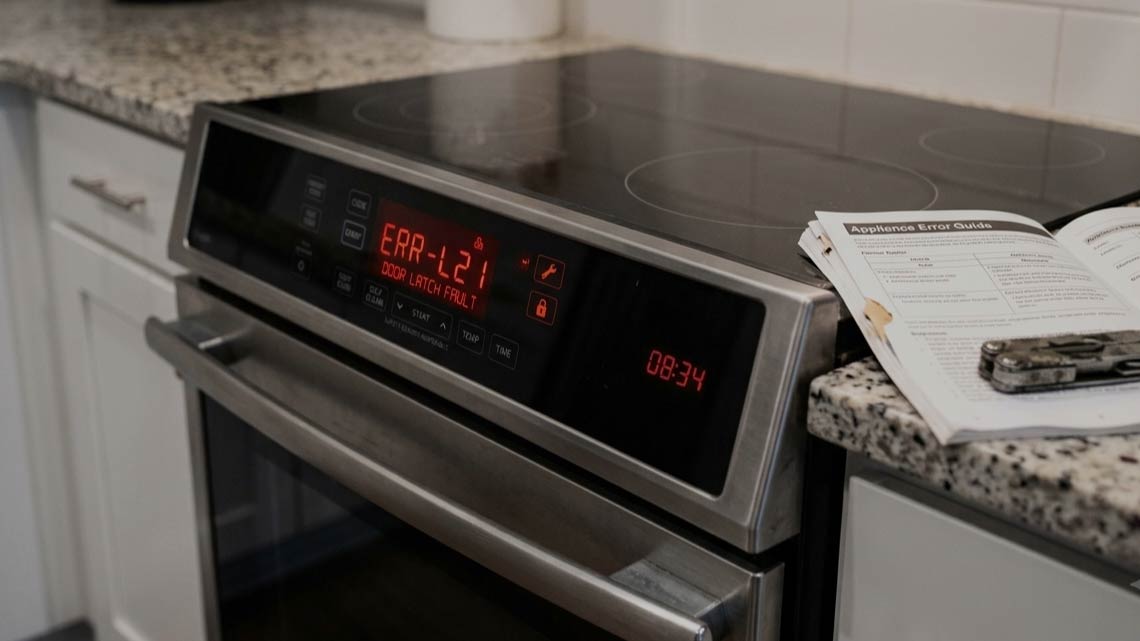
The problem for most homeowners is that manufacturers don’t make the codes easy to look up, and manuals often go missing years before the code shows up. If you’re staring at a flashing E1, F3, or something more exotic like F31 or F96 and don’t know what it means, this guide walks through the common patterns. If you’d rather get straight to a diagnosis, appliance repair Jacksonville FL technicians handle error-code calls almost daily — most take under fifteen minutes once we’re at the appliance.
First: Try a Full Reset Before Anything Else
Sounds too simple to work, but power-cycling clears about a third of «error code» calls before they become real repairs.
- Kill the breaker for the oven for a full five minutes. Not thirty seconds — five minutes, so any capacitors on the control board have time to fully discharge and the board can boot fresh.
- Flip the breaker back on.
- Watch the display.
Codes that were caused by a temporary glitch (power surge, brief brownout, board hiccup) clear this way and don’t come back. Codes that reappear immediately mean the underlying problem is still there, and now you know it’s a real fault, not a random one-time event.
Do this before calling anyone. If the code returns within five minutes of restart, then it’s genuinely something.
Schedule your appliance repair today!
What Error Codes Actually Represent
Ovens have sensors and monitoring built into the control board. Temperature sensors watch the cavity. Latch position switches confirm the door is closed. Relays report back to the board about whether they successfully activated. When any of those inputs give the board something it doesn’t expect — or nothing at all when it expected something — the board throws an error code.
Some codes are informational. Some are actual faults. Some are safety shutdowns that prevent damage. The letter usually indicates the general category:
- F-series codes (F0, F1, F2, F3, F5, F7, F9, F10, F31, F96, and many others) — these are function or fault codes. Something in the oven’s electrical or sensing system isn’t behaving right.
- E-series codes (E0, E1, E2, E3) — usually specific error conditions, often related to temperature sensor readings or communication between components.
- Combined codes (F1-E3, F2-E0, F5-E1) — appear on Whirlpool and KitchenAid mostly, where the F number indicates the general category and the E number narrows it down further.
Actual meanings differ by brand. There’s no universal code sheet.
Common Codes by Brand
The list below covers what we see most often at service calls. Not exhaustive — brands change their code systems across model lines, and the same code can mean different things on different generations of the same brand.
GE and GE Profile
- F2 — over-temperature condition or temperature sensor fault. Sometimes triggered during self-clean if the cavity got hotter than expected. Usually points to a bad sensor or a stuck relay on the control board. GE Profile F2 is one of the most-searched codes in this whole category.
- F3 — temperature sensor open or shorted. Sensor replacement almost always solves it.
- F7 — stuck key on the control panel or a failing keypad membrane. GE monogram wall ovens seem to hit F7 more often than range models.
- F76 — communication error between the main board and the sub-board on double ovens.
- F96 — over-temperature during self-clean or a thermal fuse issue.
Whirlpool, KitchenAid, Maytag
- F1 — several possible causes. Could be a control board failure, a stuck touchpad, or a temperature sensor problem. Whirlpool Accubake models sometimes throw F1-E1 (control board) versus F1-E3 (temperature sensor) to distinguish.
- F2 — same territory as GE’s F2. Over-temp or sensor.
- F5 — door latch problem. Often shows up after self-clean when the latch mechanism doesn’t fully release.
- F6 — control board communication issue.
- F9 — oven door lock circuit failure. Similar to F5 but more specific to the lock motor itself.
Frigidaire
- F10 — over-temperature condition. Very common on Frigidaire Gallery series. Usually a temperature sensor, occasionally a relay.
- F11 — shorted keypad or button stuck down.
- F30 / F31 — temperature sensor circuit fault (open or shorted). Sensor replacement fixes almost every one of these.
Samsung
- C-F1 or SE codes — Samsung uses a different system than most. C-F1 usually means a communication error between the display board and the control board. SE typically indicates a shorted button on the touch panel.
- E-08 or E-0A — cooling fan or temperature sensor issue.
Bosch and Thermador (premium built-ins)
Bosch uses a series like E011, E012, E015, E101. Meanings vary widely — E011 is often a door lock issue, E015 is typically a sensor. Thermador wall ovens use a similar system. Manual lookup is genuinely necessary here because premium brands change codes between generations.
What the Codes Usually Actually Mean
Boil down the pattern across brands, and most error codes trace back to one of five components:
- Temperature sensor. By far the most common. That thin metal probe sticking into the cavity fails, drifts, or shorts, and the board throws a code because the readings don’t match reality. Sensor replacement is one of the more affordable oven repairs.
- Door lock or latch. Especially after self-clean cycles, the motorized lock can jam or the position switch stops sending a «locked» or «unlocked» confirmation to the board. Common codes: F5, F9, some E-series.
- Keypad or membrane switch. A stuck button (moisture damage, physical wear) makes the board see a continuous button press and throw a code. Common on older Whirlpool and GE Profile units.
- Control board itself. When the board fails, it can throw a variety of codes on its way out — or the wrong codes because the board is misreading its own inputs. Diagnosis needs a tech with a multimeter.
- Thermal fuse. After the fuse trips, some brands throw an error code before going completely dark. F96 on GE is classic thermal fuse territory.
That’s most of it. Occasional weird codes point to fan motors, gas valves, or wire harness damage, but the five above cover probably 85% of the codes we see in the field.
When to Call a Tech vs. When to Wait
Some codes clear themselves after a reset. Some don’t. General rule from years of running these calls:
You need someone to diagnose it.
- Codes involving door lock or self-clean cycle — call sooner rather than later. A lock that won’t release means the oven is unusable, and forcing it damages the door.
- Codes appearing during a cooking session — turn the oven off, reset the breaker, don’t run it again until you know what the code means. Continuing to use an oven that’s throwing errors risks damaging additional components.
- Codes on premium brands (Bosch, Thermador, Wolf, Miele, Viking, Sub-Zero built-in kitchens) — get a tech out. Diagnostic access on these units is more involved, and guessing wrong on parts costs real money.
A high-rated appliance repair company will read the code, cross-reference the model number against the specific fault meaning, test the suspected component, and quote the fix — usually all within the first fifteen minutes on-site.
How a Service Visit Works
When our Jacksonville appliance repair technicians handle an error code call, the process is straightforward.
- We ask what code you’re seeing and what oven model it’s on before we head out — that lets us confirm the likely part and load it on the truck
- On arrival, we verify the code, cross-check with the model-specific meaning, run diagnostic testing on the suspected component (temperature sensor, door lock, keypad, board, thermal fuse — whichever the code points to).
- Then quote the flat repair price before starting work.
Whirlpool, GE, KitchenAid, Frigidaire, Samsung, Maytag, Kenmore, LG, Bosch, Thermador, Wolf, Miele, Viking — every major brand has its own code language and we speak all of them.
Name: Appliance Repair Jax
Adress: 164 Johns Glen Dr, Jacksonville, FL 32259
Phone: (904) 200-4110
Website: https://appliancerepairjax.com/
Conclusion
Error codes look intimidating but usually point to one of five parts — sensor, latch, keypad, board, or thermal fuse. Once you know which brand-specific meaning the code carries, the fix follows a clear path. When yours needs on-site diagnosis and repair, Appliance Repair Jax covers error-code work across Jacksonville, every major brand, same-day service most days when you call before noon.
More Articles on Stove & Oven Repair
- Oven Making a Loud Noise When It Cycles? Causes & Fixes
- Cracked Glass Cooktop: Is It Safe to Use & How It’s Fixed
- Oven Smells Like Burning or Smoking? What’s Causing It
- Self-Cleaning Oven Not Working? Common Problems and How to Fix Them
- Oven Won’t Turn On at All? Power & Control Issues Explained
- Induction Cooktop Not Working? Troubleshooting Steps That Help
- Electric Cooktop or Glass-Top Burner Not Working: What to Do
- Stove Burner Not Working? Electric Troubleshooting Guide
- Oven Not Heating Up? 8 Common Causes & How to Fix Them
